Showing posts with label Computer maintenance. Show all posts

Monday, December 8, 2008

CCleaner

If you want your system to sprint at lightning speed as you expect, you should make it light by getting rid of all unwanted junks from it. The best option is to install CCleaner, a great system optimization and privacy tool. View screen shot.
CCleaner has come a great way from its predecessor Crap cleaner and has transformed into a complete system tool. Many cleaners clean out just your browser cache or your temporary files folder, but CCleaner goes further. It cleans temporary files from common third-party applications like Firefox, Opera, Media Player, eMule, Kazaa, Google Toolbar, Netscape, Office XP, Nero, Adobe Acrobat, WinRAR, WinAce, WinZip and more....It has got separate settings for internet explorer, firefox, Opera, Safari, chrome etc. and hence works more effective with them. Registry cleaner is also part of this utility but I would recommend Eusing or Glary utilities for that purpose.
This utility become more versatile as it boasts of an excellent uninstaller and a useful start up manager inbuilt in it. That saves you from installing two additional programs for that purpose. CCleaner is highly customizable and can be tuned to precisely clean according to your need.

Why I recommend CCleaner.
  • It is a complete system cleaning utility.
  • Works more effectively compared to other cleaning utilities.
  • Highly customizable.
  • Good startup manager and uninstaller bundled.
  • It can effectively handle junks created by large number of third party applications.

Download

Saturday, December 6, 2008

Power Toys for XP

Tweak UI is a beautiful tweaking tool created by Microsoft itself in the name of "Power Toys" to change many windows XP settings which are other wise inaccessible. Using this program which is just 146 kb you can optimize many things including mouse settings, Explorer settings, Task bar and start menu,Desktop settings,Control panel settings and even repair certain problems.If you are a power user Tweak UI is a must.View screen shot
Download Tweak UI 2.10

Image resizer is another power toy created by Microsoft and it can be very handy in resizing pictures.This software integrates to windows shell and by simply right clicking on the image you can resize it.
Download Image resizer

Wednesday, December 3, 2008

Comodo Firewall

Firewall is expected to be the first line of defense of your system in protecting private information. A system without a good firewall installed is a real cake walk for hackers. In the current era of e-commerce any lapse in protecting informations like passwords and other sensitive informations could prove to be detrimental. Sad part of the story is that you will never know that your system is hacked by somebody, if firewall is not good enough. Many people think that as a free firewall is provided with Windows, no additional firewall is required. You will understand how primitive Windows firewall is if you have ever used a dedicated firewall.
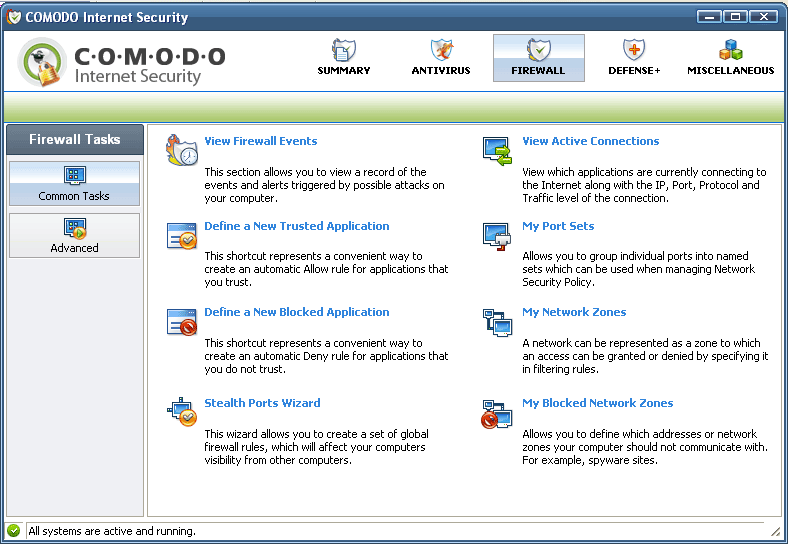
Comodo firewall is a real killer with great features and will offer near complete protection to your system. The interface is really simple and will not create any difficulty for even a beginner. In first few days of system usage you may get popups very often and comodo will ask you many things. You need not panic as this is just the learning process of comodo to understand the net connections and our preferences. If you give correct responses in the beginning it will never disturb you much in the future.
One thing you have to remember is that while installing use the advance mode ie "firewall with maximum proactive defense +" if you are a net freak. You can decide upon the option to be used depending on your net usage pattern. View screenshot.
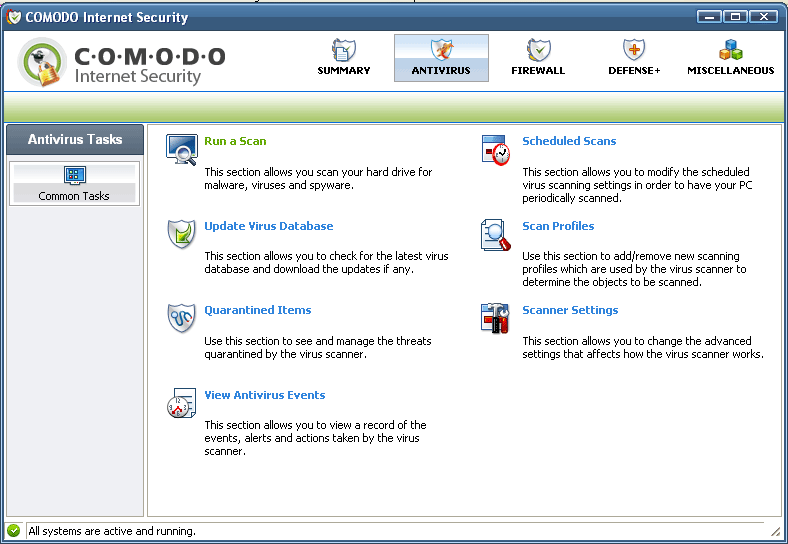
Comodo firewall comes bundled with free antivirus software also and you can optionally decide to install or not to install it. My personal recommendation is to avoid it if you have any other good antivirus program like avast which is also free.
When you open the software the main tabs you see are Summary, Firewall, Defense, and Miscellaneous. Click the respective words to see the screen shots.

Why I recommend this software.
  • High performance
  • Does not affect system performance negatively.
  • Simple interface
  • Lots of useful features bundled.

Download
Monday, December 1, 2008

Glary Utilities

If you are looking for a single utility which can fix, speed up, maintain and protect your PC, Glary utilities are for you. You will get a good registry cleaner, Startup manager, File splitter, Memory optimizer, Secure file deleter, Uninstaller, Disc space analyzer, Short cut fixer and more by simply installing Glary Utilities. The program automatically creates a backup copy before making important changes to your system. If you require a registry cleaner only then EUsing registry cleaner is also a good option.View larger screen shot.
All Glary Utilities tools can be accessed through an eye-pleasing and totally simplistic interface. 1-Click maintenance option of Glary utilities includes Registry cleaner, Shortcuts fixer, Startup manager, Temporary files cleaner, Tracks eraser and spy remover. For internet explorer users it has got an explorer assistant also. Windows default functions that can help you to keep system stable can be directly accessed from Glary. It includes Check Disk, Disk defragmenter, System restore, System file checker and Backup utility.

Why I recommend Glary utilities.
  • It provides almost complete Tweaking tool kit for your system
  • Good registry cleaner
  • Makes backup before important changes
  • Very useful 1-click maintenance.
  • Very easy interface
  • Great file splitter and rejoiner

Download

Monday, November 3, 2008

Antivirus

Avast! 4 Home edition.
Common belief is that good antivirus programs does not come free.Avast is an exception. You can trust this award winner. Avast features a powerful resident module that is able to detect a virus before it has any chance to infect your computer. File system protection ensures that no virus will be started on the computer.It is always better to use a firewall also as the first line of defence and Comodo firewall is a good choice.
Download

Malware remover

Malwarebytes
Finding a good malware remover is a tough job as many malware removers are really malwares by itself. Many others may not be effective as expected to newer malicious softwares. Malwarebytes is an award winning versatile utility which can identify and remove malicious software from your computer.It can provide the needed assistance to remove the infection and restore the machine back to optimum performance.View screen shot.
Malwarebytes' Anti-Malware monitors every process and stops malicious processes before they even start. The Realtime Protection Module uses advanced heuristic scanning technology which monitors your system to keep it safe and secure. In addition, threats center will help you to keep up to date with the latest malware threats.

Why I recommend Malwarebytes
  1. Support for Windows 2000, XP, and Vista.
  2. Quick scanning.
  3. Database updates released Very frequently.
  4. Quarantine to hold threats and restore them at your convenience.
  5. Works together with other anti-malware utilities.
  6. Easy integration with windows shell(you can right click and scan files)

Download

Tuesday, October 28, 2008

Bootup CD/DVD Creator

Bart´s PE Builder
Bart´s Preinstalled Environment Builder helps you build a bootable Windows CD-Rom or DVD from Windows XP or Windows Server 2003 and is very suitable for PC maintenance tasks. It will give you a complete Win32 environment with network support, a graphical user interface (800x600) and FAT/NTFS/CDFS file system support. Very handy for rescuing files to a network share, virus scan system maintenance and so on.
To view larger screen shot click here
Download

Tuesday, October 21, 2008

Registry cleaner

Eusing registry cleaner
Many a times you may have noticed that your system is becoming slower and slower day by day.This slowing down is owing to the registry problems which accumulates unknowingly in the system. Registry problems can arise due to many factors like, references left behind after uninstallation, incorrect removal of softwares, missing or corrupt hardware drivers, orphaned start-up programs etc. The result is increased registry size which in turn will slow down your computer as windows will need more time to load, search and read data from the registry. Eusing registry cleaner is one of the most dependable and user friendly registry cleaning utility, which can fix the registry issues in a clean manner. If you detect any problems after fixing registry problems, you can restore it back to the old registry keys.
View larger screen shot. Another good option is Glary utilities.

Eusing registry cleaner will detect and repair
  • Missing Shared Dlls
  • Unused File Extension
  • Invalid ActiveX
  • Invalid Help Files
  • Invalid Paths
  • Sound and App Events
  • Invalid Fonts
  • Invalid application paths
  • Invalid start-up programs
  • Invalid custom controls
  • Missing Shortcut reference
  • Obsolete Software Key
  • Invalid Installer reference
  • Missing File and Folder
  • and much more
Why I recommend this utility
  1. 100% safe as it does not contain any adware, spyware or viruses.
  2. Simple and user-friendly interface.
  3. Improves overall performance and stability of the system.
  4. Automatic backup of repaired registries.
  5. 100% free as you can use it any number of time.
  6. Updates are available for free.

You can download the utility for free from the following link.

Download